PDF Studio › All tools › Merge PDF files into one
Merge PDF files into one
Put several PDFs together in the order you want. Each page is copied into the new file exactly as it was, so nothing is re-compressed and the text stays sharp and selectable.
Open Merge PDFFree, no sign-up, no watermark. The file is processed on your device and never uploaded.
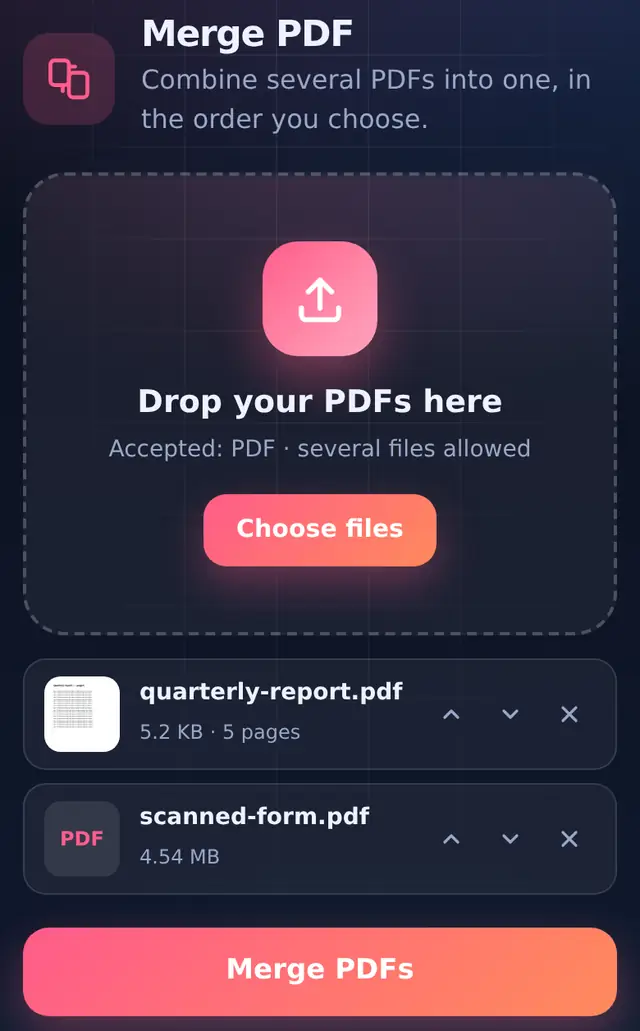
How to merge PDFs
- Add at least two PDFsTap Choose files and select them together, or add them one after another. Until there are two files the button reads "Add at least 2 files".
- Put them in orderUse the up and down arrows on each file. The file at the top becomes the first pages of the merged PDF.
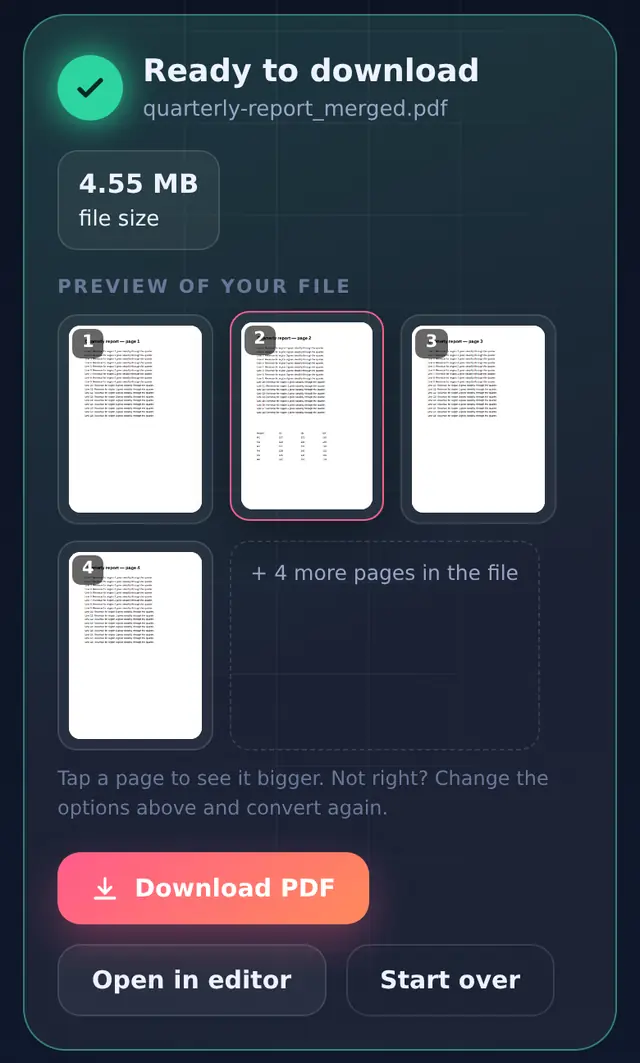
- Merge and checkPress Merge PDFs. A preview of the first pages appears, so you can confirm the order before you download.
- DownloadThe new file is named after the first PDF with
_mergedadded. Your original files are not changed.
What is kept and what is not
Merging copies pages, not whole documents. That is what keeps quality intact, but it also means a few document-level extras from the original files do not come along:
| Kept exactly | Not carried over |
|---|---|
| Text, fonts, images and drawings on every page | The bookmarks panel (outline) of the original files |
| Each page's own size and orientation, so A4 and Letter pages can sit in one file | Fillable form fields may stop being fillable, so fill forms in before merging |
| Links and notes drawn on the page | Passwords: protected PDFs must be unlocked first |
Because pages are copied rather than re-drawn, the merged file is roughly the size of all the originals added together. In our test, a 4.54 MB scan plus a 5 KB typed report became a 4.55 MB file. If that is too big for an email or an upload form, run it through Compress PDF afterwards.
Tips for common jobs
Application packs
Portals often want "all documents in one PDF": application form, ID, certificates. Merge them in the order the portal lists them, then compress the merged file to the portal's size limit. Compressing last gives better quality than compressing each piece first.
Photos and PDFs together
Merge only takes PDFs. Turn photos into a PDF first with JPG to PDF, then merge that file with the rest.
Different page sizes
Nothing is resized. A landscape page stays landscape and a small receipt page stays small. If a page came out sideways, fix it with Rotate PDF.
Questions people ask
Is there a limit on how many files I can merge?
There is no fixed limit. Everything happens in your browser's memory, so the practical limit depends on your device. A phone handles dozens of ordinary documents; hundreds of large scans are better merged on a computer.
One of my PDFs gives a "password-protected" message. What now?
Open-password protected files cannot be read without the password. Use Unlock PDF with the password you have, then merge the unlocked copy.
Can I merge Word or Excel files?
Convert them first with Word to PDF or Excel to PDF, then merge the PDFs.
Can I change the order after merging?
Yes. Open the merged file in Edit PDF: every page has move-up, move-down, rotate and delete buttons.