PDF Studio › All tools › Add a watermark to a PDF
Add a watermark to a PDF
Stamp a word such as DRAFT or CONFIDENTIAL, or your logo, across the pages of a PDF. You control the size, transparency, angle and colour, and whether it appears once in the middle or tiled across the page.
Open WatermarkFree, no sign-up, no watermark. The file is processed on your device and never uploaded.
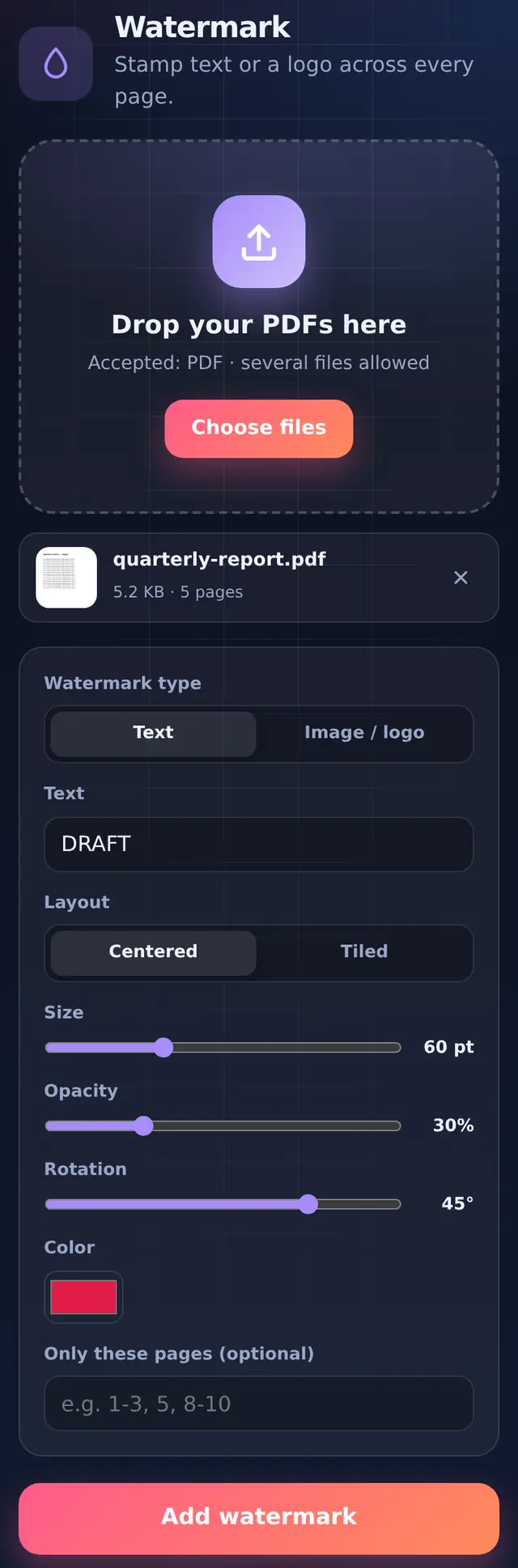
The options
| Option | Range | Default | Notes |
|---|---|---|---|
| Watermark type | Text or Image / logo | Text | A logo with a transparent background (PNG) looks cleanest |
| Layout | Centred or Tiled | Centred | Tiled repeats it across the page in staggered rows, which is harder to crop out |
| Size | 12 to 160 pt | 60 pt | For a logo this sets how large it is drawn |
| Opacity | 5% to 100% | 30% | 20–35% keeps the page readable |
| Rotation | −90° to 90° | 45° | 0° for a horizontal stamp |
| Colour | any | red | Text only |
| Only these pages | e.g. 1 or 2-5 | all pages | Handy for stamping just a cover page |
How to add a watermark
- Add one or more PDFsEach file is stamped with the same settings and saved separately.
- Type the text or choose a logoFor a logo, switch the type to Image / logo and pick the picture.
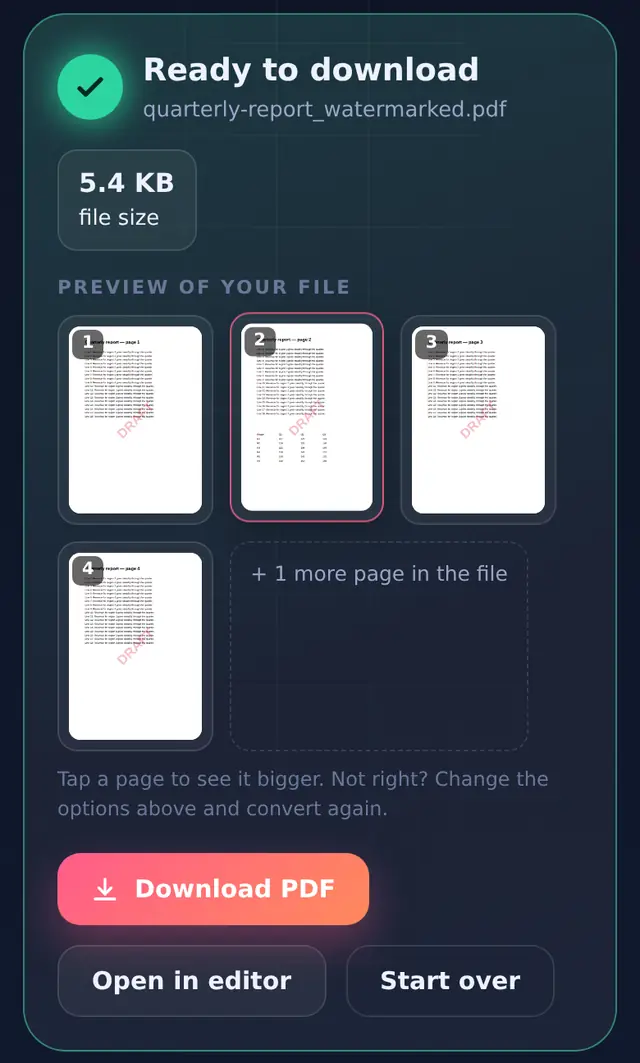
- Adjust and runCheck the preview; if the stamp is too strong, lower the opacity and run it again.
- DownloadThe file is saved as
name_watermarked.pdf.
Good to know
Hindi and other scripts work. Standard PDF fonts only cover Latin letters, so non-Latin text such as "गोपनीय" is drawn as a sharp image instead. It looks the same; it just cannot be selected.
Rotated pages are handled. On a page that is stored sideways and displayed upright, the stamp is still placed relative to how you see the page.
A watermark is not protection on its own. It is part of the page and can be edited out with enough effort. For documents you are sharing with someone you do not fully trust, combine a tiled watermark that names the recipient ("Copy for ABC Ltd") with a password from Protect PDF that turns off editing.
Questions people ask
Can I remove a watermark later?
Not with this tool. Keep your original file; the watermarked copy is a separate file.
Will the watermark print?
Yes. It is part of the page, so it prints and appears in every viewer.
Can I add page numbers at the same time?
Use Page numbers on the watermarked file afterwards.